How Often Should You Update Your QuickBooks Records?
Most business owners don’t fall behind on their books on purpose. It usually starts with a busy week. Then another. Before long, receipts are sitting in a drawer, bank transactions have not been categorized, and nobody is completely sure what the numbers are saying.
QuickBooks can make bookkeeping easier, but it still depends on one thing. And that is keeping your records current. If information goes in late, the reports you rely on become less useful. So, whether you manage your books yourself or use quickbooks bookkeeping services, staying on top of your records can save a lot of time and frustration later.
The Exact Answer is Variable Here
The answer to your question here depends on a variety of factors and various other things. This table below may help you out:
| Business Type | Recommended QuickBooks Update Schedule |
|---|---|
| Freelancers & Consultants | Weekly |
| Professional Service Firms | Weekly |
| Construction Companies | Weekly to Daily |
| Retail Stores | Daily |
| E-commerce Businesses | Daily |
| Restaurants & Cafes | Daily |
One of the most common questions business owners ask is how often they should update QuickBooks. The truth is that it depends on how active the business is. A local consultant who sends a few invoices each month has very different bookkeeping needs than an online retailer processing dozens of orders every day.
Still, waiting until tax season is rarely a good strategy. The longer transactions sit untouched, the easier it becomes for mistakes to slip through.
What Happens When Records Are Not Updated?
Many business owners assume they know where the business stands financially. Then they pull a profit and loss report and discover the numbers are incomplete. It can be like the expense was never entered, payment was categorized or any other thing.
When bookkeeping falls behind, financial reports stop telling the full story. That can affect budgeting decisions, hiring plans, equipment purchases, and even tax filings. In some cases, the issue is not that the business lacks revenue. But the real case is that nobody has an accurate picture of what is happening.
Weekly Routine Works for Most Businesses
For many small businesses, updating QuickBooks once a week is enough. A weekly review gives you time to:
- Enter new expenses
- Match receipts
- Review deposits
- Check customer payments
- Monitor cash flow
The work stays manageable because the information is still fresh. You are not trying to remember what happened two months ago.
Businesses With Heavy Activity May Need Daily Updates
Some businesses generate transactions all day long. Restaurants, retail stores, contractors, and e-commerce businesses often benefit from reviewing records daily. That does not mean spending hours inside QuickBooks.
Even a short daily review can help keep things organized and prevent a backlog from building up. Small tasks handled consistently tend to be easier than one large cleanup project later.
Doing the Bank Reconciliations
Recording transactions is only part of the process. Bank reconciliations help confirm that QuickBooks matches what actually happened in your accounts. Many bookkeeping issues are discovered during reconciliation. Reviewing accounts monthly helps catch those problems before they become larger issues.
| Task | Frequency | Why It Matters |
|---|---|---|
| Record Income | Daily or Weekly | Keeps revenue reports accurate |
| Enter Expenses | Daily or Weekly | Tracks business spending |
| Review Open Invoices | Weekly | Improves cash flow visibility |
| Match Bank Transactions | Weekly | Reduces bookkeeping errors |
| Reconcile Bank Accounts | Monthly | Confirms financial accuracy |
| Review Profit & Loss Reports | Monthly | Helps guide business decisions |
When Bookkeeping Starts Taking Too Much Time
Many owners begin handling QuickBooks themselves. At first, it worked fine.
Then the business grows. More customers come in. More invoices go out and the transactions need attention.
Eventually bookkeeping becomes one more task competing for time. That is often when businesses start looking into quickbooks bookkeeping services. Having someone else maintain the records can help ensure reports stay accurate without pulling attention away from daily operations.
Good Records Lead to Better Decisions
Business owners often think of bookkeeping as a tax requirement. It is much more than that. Current records make it easier to understand cash flow, monitor expenses, and spot trends before they become problems.
The businesses that know their numbers are usually better positioned to make decisions with confidence.
Final Thoughts
If your QuickBooks file has not been updated in weeks or months, now is a good time to get caught up. For most businesses, a weekly routine is enough to keep records accurate and useful. Companies with higher transaction volumes may need more frequent attention. The important thing is consistency. QuickBooks works best when it becomes part of your regular business routine rather than a project you save for later.
FAQs
How often should a small business update QuickBooks?
Most small businesses should update QuickBooks at least once a week. Businesses with a higher volume of transactions may benefit from daily updates. The goal is to keep records accurate and avoid falling behind.
Is it okay to update QuickBooks once a month?
Monthly updates may work for businesses with very few transactions. However, waiting too long can make it harder to track expenses, reconcile accounts, and identify financial issues before they grow.
What happens if my QuickBooks records are not current?
Outdated records can lead to inaccurate financial reports, missed expenses, delayed invoicing, and tax preparation problems. Keeping QuickBooks current helps provide a clearer picture of your business finances.
How often should I reconcile my bank accounts in QuickBooks?
Most businesses should reconcile bank accounts every month. Regular reconciliations help identify errors, missing transactions, and discrepancies between bank statements and accounting records.
Can QuickBooks automatically update my records?
QuickBooks can import transactions from connected bank accounts, but the information still needs to be reviewed and categorized correctly. Automation helps, but it does not replace proper bookkeeping.
When should I consider professional QuickBooks bookkeeping services?
If bookkeeping is taking too much time, records are falling behind, or financial reports are difficult to understand, it may be time to consider professional quickbooks bookkeeping services. Having experienced support can help keep records organized and accurate throughout the year.
How much time should I spend in QuickBooks each week?
The answer depends on your business activity. Some owners spend less than an hour per week, while others need more frequent attention. Staying consistent is usually more important than the amount of time spent.
Why are accurate QuickBooks records important for taxes?
Accurate records help ensure income and expenses are reported correctly. They also make tax preparation easier and reduce the risk of errors, missing deductions, or last-minute surprises during filing season.
Why Quickbooks Accounting Software Is Ideal For Small Businesses
The world is progressing with each passing day. And with that, the environment all across the globe is also changing manifold.
And by the environment, it is not nature that is been specified here, but the overall surroundings encircling mankind.
Gone are the days when people thought about finishing their degrees and getting a decent job for them.
Well, the practice is still there, but not that much trending at present. The present-day is witnessing more and more risk-takers emerging in the market, trying to make a mark and create a base for their products.
Some succeed in doing so, while others fail.
Schedule A Consultation Today!
Now, if looked at closely, maximum cases of failed business ideas, or bankrupt enterprises would have one thing in common for their failure- mismanagement of accounting.
Accounting is an integral part of any business whatsoever, and in the case of small businesses, it is even more essential as there are lots of financial dealings and transactions in the initial stage of a start-up that needs observation as well as consideration.
So, the only two ways to make these things work are one- hiring a small business accountant, or two- using modern accounting software like QuickBooks Bookkeeping.
Follow along with this excerpt to know more about this particular software, and why is it considered to be an ideal one for small business accounting services.
What is QuickBooks Bookkeeping software?
Before plunging any further into the topic, let’s take a brief idea about the software itself. Of all the accounting software for small businesses reviewed, QuickBooks is the best amongst all in an overall aspect.
Not only do a maximum of small business accounting professionals use QuickBooks Online, but there is also an abundance of online training resources and forums where you can get help when you need it.
All accounting features are easily accessible from a single main dashboard, making bookkeeping more fluid, efficient, and convenient as well.
The number of products QuickBooks Bookkeeping has are-
- QuickBooks Premier Plus
- QuickBooks Pro Plus
- QuickBooks Self Employed
- QuickBooks Online
- QuickBooks Mac Plus
- QuickBooks Enterprise
Out of these six categories, QuickBooks Online has four categories of packages available- Simple Start, Essentials, Plus, and Advanced. Most small businesses will benefit from one of these four plans available in the QuickBooks Online product.
It is a cloud-based solution that includes all the essential features for managing your company’s finances. This particular version of the QuickBooks Bookkeeping software even includes numerous integration options, which makes it simple and easy to collaborate with a professional accountant or bookkeeper Los Angeles.
The best thing about this product is its user-friendly interface which makes handling and managing accounting services even easier than before.
Why Is QuickBooks Bookkeeping software ideal for small businesses?
Now let’s see why QuickBooks Bookkeeping is ideal for small businesses-
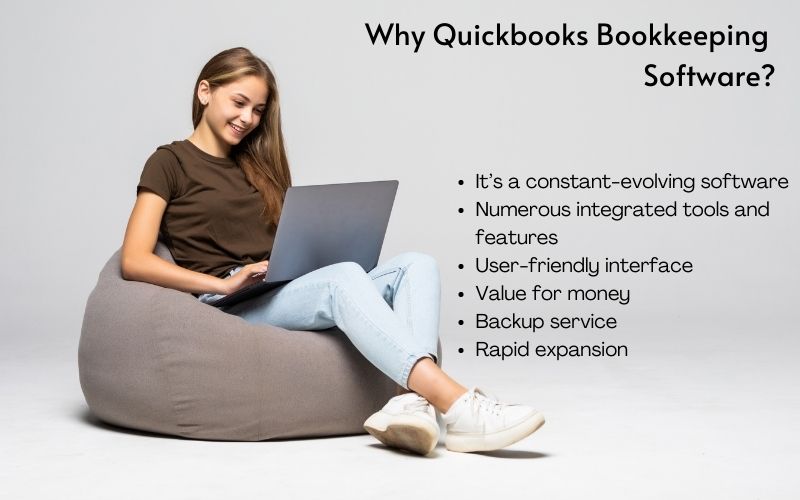
It’s a constant-evolving software
There are numerous improvements within this particular accounting software that can always be beneficial to the operation of your business. New features are added on a regular basis, ensuring that all of your financial needs are met.
Numerous integrated tools and features
Another one of the essential reasons to make use of this software is that there are numerous useful shortcuts, hundreds of integrated tools, and other important tools and features that make the accounting job way easier. By using this software, users will save a lot of time and improve their work performance significantly.
User-friendly interface
The most important reason for QuickBooks Bookkeeping services being so widely popular and frequently used software is that it has a very easy-to-use interface. With all the features and tools on your face, it becomes much easier for people to understand and make use of the software to its full potential.
Value for money
There is a lot of software available, but nothing compares to what QuickBooks has to offer. It can save you a lot of time and money, both of which can be put to good use for the company. The comprehensive and affordable payment plans are what make it such a widely popular software amongst businesses big and small.
Backup service
A very important feature of QuickBooks Bookkeeping is its integrated backup service which can also be considered a life savior! This helps in keeping all your financial and accounting-related data safe and secured. So, you don’t have to be afraid of losing any past or present financial and accounting data while using this particular software.
Rapid expansion
QuickBooks is customer-focused, and by listening to their customers’ needs, they are constantly attracting new active users. If you start using this software, you will most likely never use another accounting tool again. Moreover, their plan is to reach about ten million users by the end of this decade.
Conclusion
Therefore, these are the reasons why QuickBooks Bookkeeping is considered an ideal software for any kind of small business. Making use of such modern technology saves you time, energy, and a lot of money!
You May Also Read: What Is IRS Levy And How To Get Exemptions?
Contact Us Today:
Locations:
4 Reasons QuickBooks Bookkeeping Is Necessary For Small Businesses
If you are a small business owner, you will find yourself having to take on various tasks outside the scope of a managerial role.
Some administrative tasks will involve accounting, preparing for tax seasons, and preparing taxes, etc. If you find yourself handling all tasks outside the scope of a managerial role, you need assistance.
Performing these tasks on your own becomes difficult as this is when you need proper bookkeeping services in the form of QuickBooks bookkeeping- the best bookkeeping software for small businesses.
Schedule A Consultation Today!
What Is Bookkeeping?

If you don’t already know, bookkeeping refers to the process of organizing and storing financial and accounting documents including journals, ledgers, financial statements, etc.
What Is QuickBooks Used For?
Avoid Audit By IRA
In 2013, the CRA (Canada Revenue Agency) dedicated the bulk of its program spending resources to small and medium-sized businesses, with $1.3 billion government spending on small and medium-sized businesses audit activities the upcoming year.
Do you want to avoid an audit altogether? It is easy. Keep track of your books regularly. If you want to be more prepared, pay attention to the red flags that the IRA notices in small business-like large business expenses, revenue discrepancies, etc.
Avoid The Stress Of Audit
Having the books in good order means you are well equipped for the unfortunate case that your books are audited by IRA. Since small business owners are at the highest risk for an IRA audit, proper bookkeeping becomes important than ever.
The more up-to-date and accurate your company’s books are, the quicker the IRA can move on from your case-leaving less time for headaches, more time for growing your business by using QuickBooks small business help.
How To Implement Proper Bookkeeping Services?
Now that you know why bookkeeping is so important, the next step is implementing a system for tracking income and expenses. Here’s how to do it:
- Input items yourself
- Hire expert to keep up the books
- Hire a virtual bookkeeper
- Use the CPA throughout the year

Better Management And Financial Analysis

To keep your business stay afloat, it needs money. We know that cash flow management isn’t an easy task.
Proper bookkeeping allows you to analyze and manage the cash flow. This gives you a better picture of your business’s financial situation.
Being the best accounting tool for small businesses, QuickBooks helps you keep on top of paying invoices to vendors in a proper fashion. Also, you must know where exactly the money is going. Who wouldn’t want to know where the money is going?
Hiring the right CPA can answer all your questions so you get the benefits of accounting software for small businesses.
Don’t Miss Out On Potential Tax Deductions

Slow and inconsistent bookkeeping can lead to missing legitimate tax deductions that you otherwise could have received.
Alternatively, the CPA could disallow your tax deduction based on missing paperwork, which you may have misplaced.
Keep in mind, as the general rule of thumb in any tax assessment the CPA is always right- unless of course, the records prove otherwise.
Finally, if you ask QuickBooks online good, the answer is YES. As bookkeepers are the unsung heroes of the financial world.
They make your money go round, keep your finances from becoming an unmitigated disaster, and ultimately help you manage your business with a clear head. Similarly, the QuickBooks features and functions help businesses function properly.
Contact Us Today:
Locations:
Stay Ahead with QuickBooks Desktop 2023: What’s New
The latest QuickBooks features enhance the performance and usability of it. It has simplified the process of selecting the right accounting software for small businesses. More than 2 million companies across the different states in the US use the QuickBooks.
40% of the total customers of QuickBooks online are small businesses. The latest version is the best QuickBooks for small businesses that include features such as Automated Payment Reminder, improved company snapshots, Bounced check, and many more.
The following are some of the latest features that will give the small business more power and flexibility to operate.
Schedule A Consultation Today!
1. Enhanced Reporting
The enhanced reporting structure offers better customization, usability, navigation, and presentation. Analyzing a specific report is crucial to plan the strategies for any business. A pile of the report files can make the owner confused.
The latest feature of QuickBooks small business accounting services allows creating customized reports by extracting only the required data. Further, real-time reports always show the updated changes without any additional manual efforts.
2. QuickBooks Cash

Think of a bank account that is customized to meet your needs. The latest QuickBooks Cash exactly does the same. It works like a no-fee business account that will offer you a fast payment, forecasting tools, and more. It automatically syncs with QuickBooks for continuous accounting.
Schedule A Consultation Today!
The following are some features:
- 1% APY interest
- Instant money deposit at no extra cost
- Cash Flow Planner enables small businesses to forecast the money for up to 90days
- Entry-free bookkeeping that automatically syncs the payments and spending
3. Improved Company Snapshot
The latest feature offers a centralized dashboard that helps you see all the critical business data at a glance. It can help you see the different data ranges of your business at a single view and layout.
Further, the template allows you to configure the data that you want to look at on the board without checking different reports.
4. Automated Payment Reminders
The latest QuickBooks online small business feature allows sending reminders to customers with due invoices, which helps you get due payments quickly. It saves plenty of time from following up on the late-paying customers.
Further, it also allows you the flexibility to customize the reminder for the specific customers. Hence, you can send reminders only to those customers who have a history of default payments.
Related Article: What QuickBooks Can’t Do?
5. QuickBooks Payment

The latest feature allows you to get the money directly in the account, almost instant. With this feature, a business can now preselect the day of a week when they want to make an automatic, instant deposit. You can do it thrice daily at 9 AM, at 2 PM, and 9 PM PT.
The overall process can help small businesses to get the payments receivable easily. All the payments will get directly transferred to your bank account. It will help you in managing your business cash flow.
Schedule A Consultation Today!
6. Easy Payroll Setups and Backdate checks
Managing the payrolls becomes easy, like never before with the QuickBooks. Recently, there is a 34% growth recorded in online services such as payments and payrolls of QuickBooks. The recent updates offer the ability to issue the backdate paychecks. The earlier version only allows creating checks for the current or future dates.
Additionally, it helps in reducing the time to set up the payroll by allowing the employees to complete the payroll setup. Small business owners can ask the employees to submit essential personal information directly to run the payroll.
7. 401k Plan Connected to QuickBooks

QuickBooks now connected with a new retirement 401(k) plan that will allow the small business owners to offer their employees a convenient and secure place to save. It is an affordable retirement platform, which will be available on the “Benefits” tab of the QuickBooks Online Payroll.
One can directly buy the plan from the QuickBooks account. The plans start from $39 and securely can be synced with QuickBooks payroll. It allows improved communication.
- Automatically checked eligibility and notified to the employees
- Auto deductions are taken out of paychecks
- Auto tracking of employee contribution
8. Introducing QuickBooks Commerce
QuickBooks introduced a business management platform naming QuickBooks commerce to help small businesses. With the help of the platform, small businesses can attract and sell across the different ecommerce platforms with an online storefront, marketplace, and POS system.
All the inventory, products, and orders are sync in a centrally run platform that will allow the small business owners to manage the omnichannel presence.
Bottom Line
Over in this post, you have seen how the latest QuickBooks features that can help the small business owners in various ways.
If you need help in choosing the right accounting software, or want to know how to set up a business in QuickBooks, please feel free to contact us.